 AGL
AGLGate motor not working?
Six common faults, what usually causes them and what you can safely check before calling an installer.
Check these first.
Before you touch the gate.
- Switch off the breaker before opening the motor cover or touching the board.
- Use the manual release key to move the gate by hand; never force it against the motor.
- Do not bypass the photocells: they stop the gate closing on a car or a person.
Manuals and wiring diagrams are in the Trade centre, and spare boards, remotes and photocells are listed under spare parts.
Troubleshooting FAQ
The remote does nothing
Change the remote battery first. If the gate still ignores it, the remote may need to be learned again on the control board; the manual shows the button sequence. Check that the board has power: its LED should be lit.
The gate stops or reverses by itself
Usually the photocells: something blocks the beam, the lenses are dirty or the two units have moved out of line. Clean and realign them. If it reverses part-way with nothing in the way, the force setting may be too low for summer, or the gate has started to stick.
The motor hums but the gate does not move
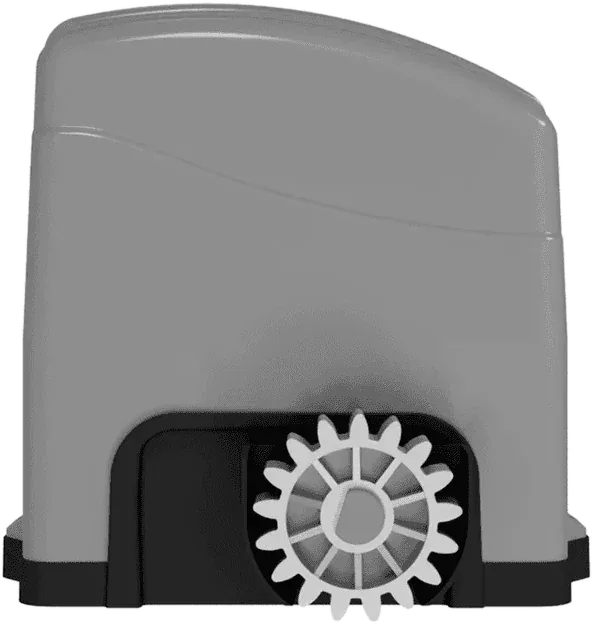
Check that the manual release is locked back in drive. On a sliding gate, check that the rack still meets the pinion. A hum with no movement can also mean a failed capacitor on AC motors: call your installer.
The gate does not stop at the end
The limit switch is not being triggered: on AGL sliding motors, check that the magnets on the rack are still in place and at the right distance from the motor.
Where can I get spare parts or a repair?
Send the motor model and the fault on WhatsApp. We supply genuine AGL spare parts and can put you in touch with an installer in your area.
Have a gate to automate?
Send the gate type, weight and how often it opens. We reply with the right AGL operator, a price and the lead time from Dubai.